Camera system / replay
Inside the Replay Chain
To revisit a decisive second, the production must first capture it, preserve a usable recording, find the relevant moment, and return the selected replay to the programme at the right cue.
Trace the coverage01 / The moment after the moment
What slow motion contributes
Slow-motion replay gives a production team a way to review recorded action at a reduced playback rate. It can reveal timing, contact, technique, or movement that passes quickly in real time. Its usefulness depends on the editorial question and the camera angle. A replay can slow a clear image, but it cannot create a view that the camera did not capture or resolve information that is absent from the recording.
Begin with the intended review. Is the programme looking at a close contest, a foot placement, a finishing movement, or the broader sequence that led to a score? The answer helps determine which cameras should be available to replay, how those sources are labelled, and which angle is most likely to show the event. No single camera provides every useful view, so the production should consider coverage as a set of complementary perspectives.
Specialist high-speed cameras may be used where the production calls for a particular slow-motion capture approach. Camera and recording formats, frame rates, signal transport, and playback compatibility vary by system. Do not infer a camera’s capabilities from a generic description. Confirm the actual operating modes and supported workflow with the production supplier or technical team, then test that configuration as a complete chain.
Capture and record with intent
A replay starts at acquisition. The camera operator frames the sequence so that the important action remains visible, while the technical path carries a feed to the replay environment. A dedicated replay source may be positioned for a specific event, or a production may use a selection of programme cameras. The director and replay operators need to know which sources are available and how they differ in angle and coverage.
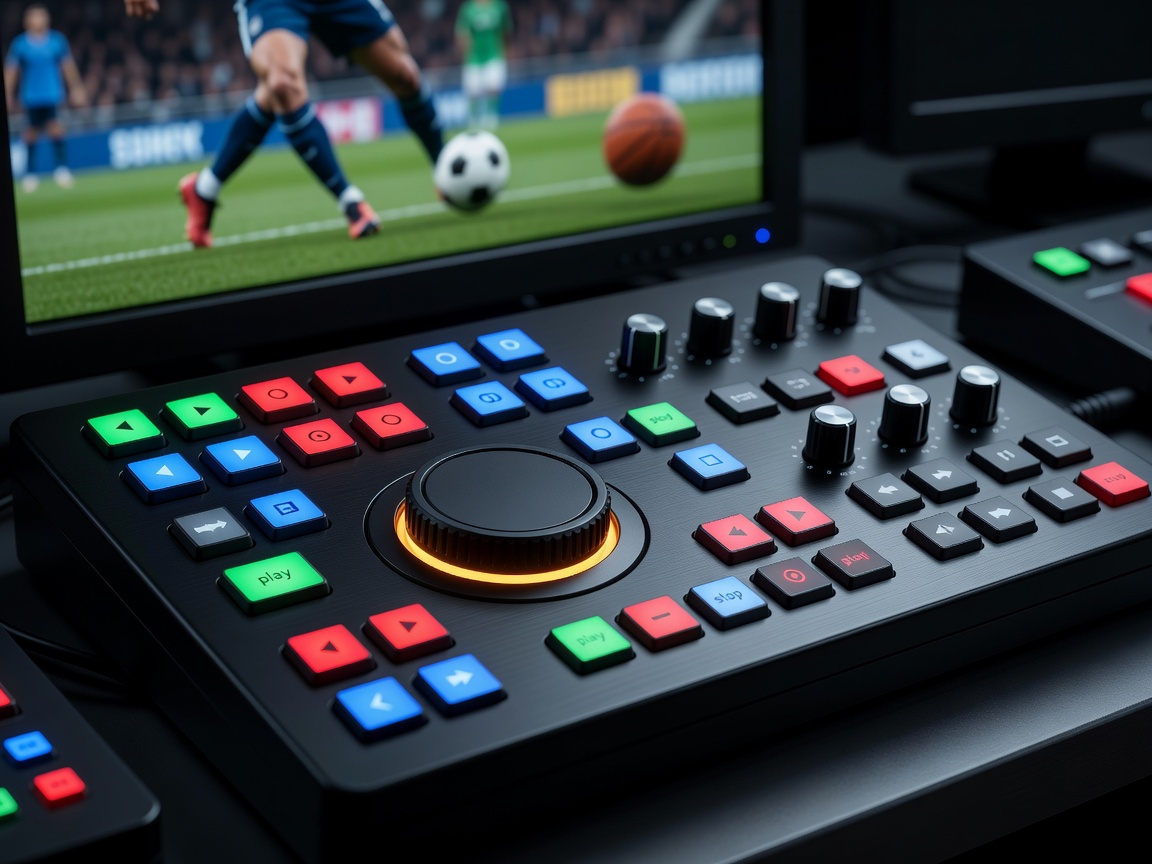
Recording systems vary in how they ingest, store, mark, and play material. A replay operator may use controls to shuttle, jog, cue, and select a playback speed. The production should confirm how the system handles its required sources and formats, how footage is protected against accidental loss, and how the operator marks a moment under live conditions. Familiarity with controls matters: finding the right clip quickly is a practiced task, not just a menu selection.
Source names should be clear to the replay team and consistent with the multiview and production communications. A useful label tells an operator what the angle covers without inviting confusion. During a technical rehearsal, confirm that the recorded material matches the expected input, that time references and any relevant marks are visible to the team, and that playback is available when requested. The specific methods depend on the installed replay platform.
Coordinate the replay operator and director
The replay operator monitors the event, selects a candidate moment, and prepares the sequence. The director decides when a replay belongs in the programme and gives a cue. The operator then plays the requested angle and speed, while the production desk confirms that the replay source is selected and returns cleanly to live action when required. Timing, concise communication, and shared cue language keep the process legible.
Not every replay should be shown. A production may need to wait for a better angle, avoid interrupting live action, or follow the editorial rules of the event. The replay team should understand who makes that decision and how an unready or unavailable replay is communicated. The goal is not to slow every important moment; it is to add a view that helps the audience understand the story.
Playback speed changes the character of a sequence. A gradual slow-down can clarify a movement; a very slow presentation can make the event feel detached from its natural rhythm. The replay operator and director should select a speed suited to the question and the source material. Return promptly to live coverage if play continues and the programme needs to follow it.
Follow the signal and control chain
The replay chain connects a camera input to recording and playback, then routes the chosen output to a production switcher or another programme destination. Camera control, replay control, reference signals, monitoring, audio handling, tally, and communications may all be relevant, depending on the system design. The technical director and replay team should draw the actual path and confirm who owns each connection.
Check that the replay output is accepted by the production switcher and that the intended picture format is consistent across the chain. Establish what happens to audio during a replay, whether the source includes embedded audio, and how the programme will handle natural sound or commentary. Test the return path and multiview label, not just the recording indicator. A successful record on one device does not prove that the playback can reach the audience feed.
Where a production uses several cameras, make sure replay operators know the routing and any camera control or lens limitations. The signal path may be physically wired or use a managed transport system, but the operational questions remain: Is the source present? Is it the correct source? Can it be reviewed and played out? Is there a reliable way to communicate when it is ready?
Expect limitations and plan alternatives
A replay may be unavailable if the moment was outside the recorded view, the source was obstructed, or the chain was not configured as expected. The operator may have several candidates but no angle that answers the production’s question. Slow motion can also make movement look unfamiliar; context from a real-time shot may be needed before or after the replay.
Rehearse the full operation with representative action. Confirm source selection, recording, clip marking, playback speed, cue words, audio behavior, and return to live. Establish a fallback if a replay server, input, or output becomes unavailable. Keep the fallback process clear and avoid implying that a replay can settle an issue that the available pictures cannot show. For a compact setup overview, visit the live production desk; to outline a production, use the brief builder.
Signal path
From camera capture to replay output
Operational constraints
Does slow motion make every replay clearer?
No. A slow playback can help inspect captured movement, but clarity depends on the camera angle, focus, exposure, recording configuration, and the specific detail being reviewed.
Should every camera feed go to replay?
That depends on the production design, available inputs, recording workflow, and editorial needs. Agree which sources matter and verify they can be recorded and played back as intended.
What should be tested before going live?
Test input identification, recording, clip marking, playback, supported output, audio behavior, switcher routing, communications, and the return to live coverage using the actual production setup.